Action of the week: n8n-horizontal-do

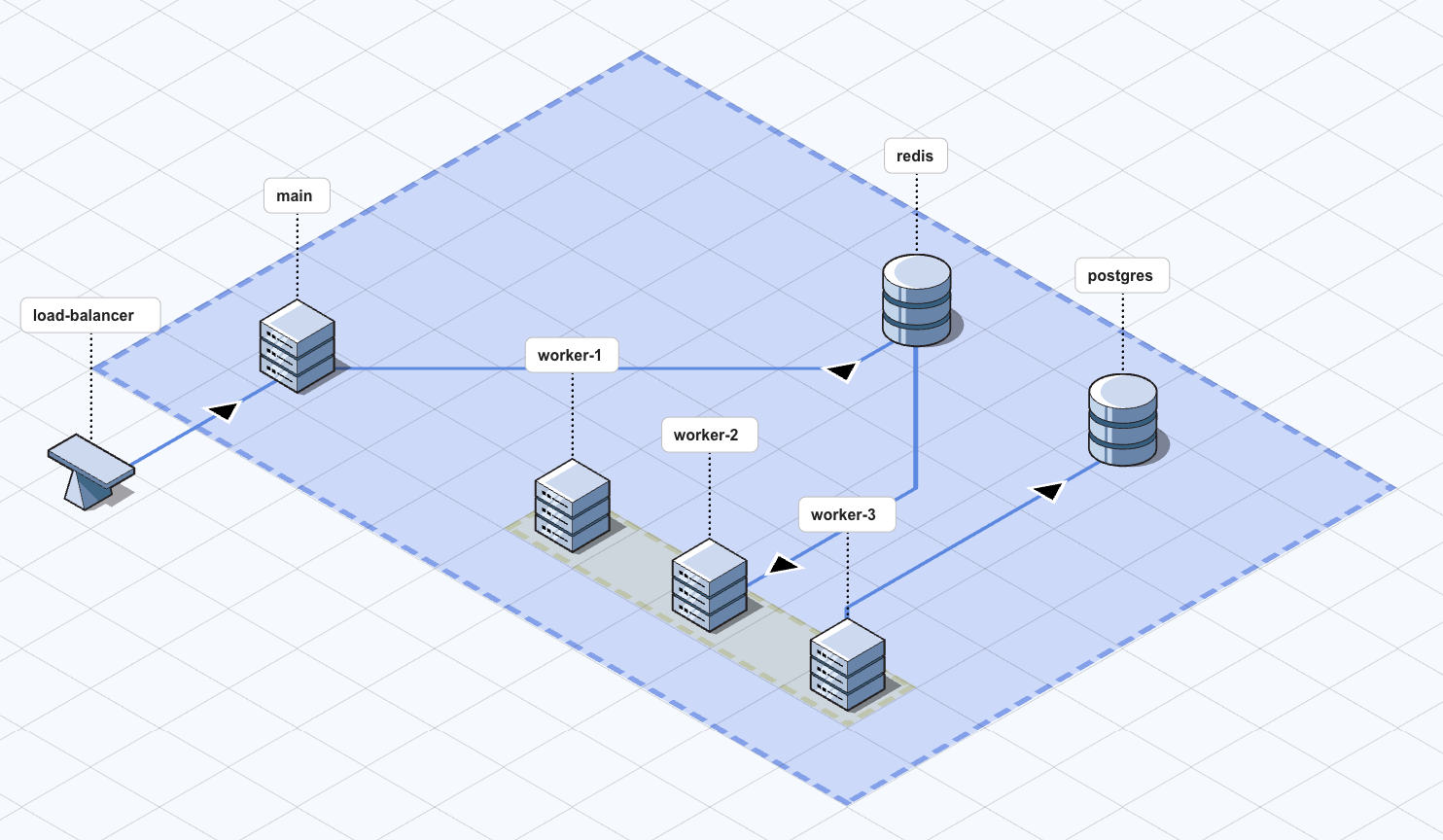
n8n is one of the biggest open source projects out there. Despite being well-established, it is still surprisingly hard to deploy horizontally. In this post we will deploy n8n to Digital Ocean with the following architecture using starthubhq/n8n-horizontal-do.
Requirements
- a Digital Ocean api access token with full access.
- a domain pointing to the Digital Ocean name servers:
ns1.digitalocean.com
ns2.digitalocean.com
ns3.digitalocean.com
Running the action
npx @starthub/cli@latest run starthubhq/n8n-horizontal-do:0.0.1
n8n relies on a single main node that dispatches events to redis/postgres, and a set of workers to process them. starthubhq/n8n-horizontal-do will use OpenTofu to deploy the topology above, and output the state file as a string.
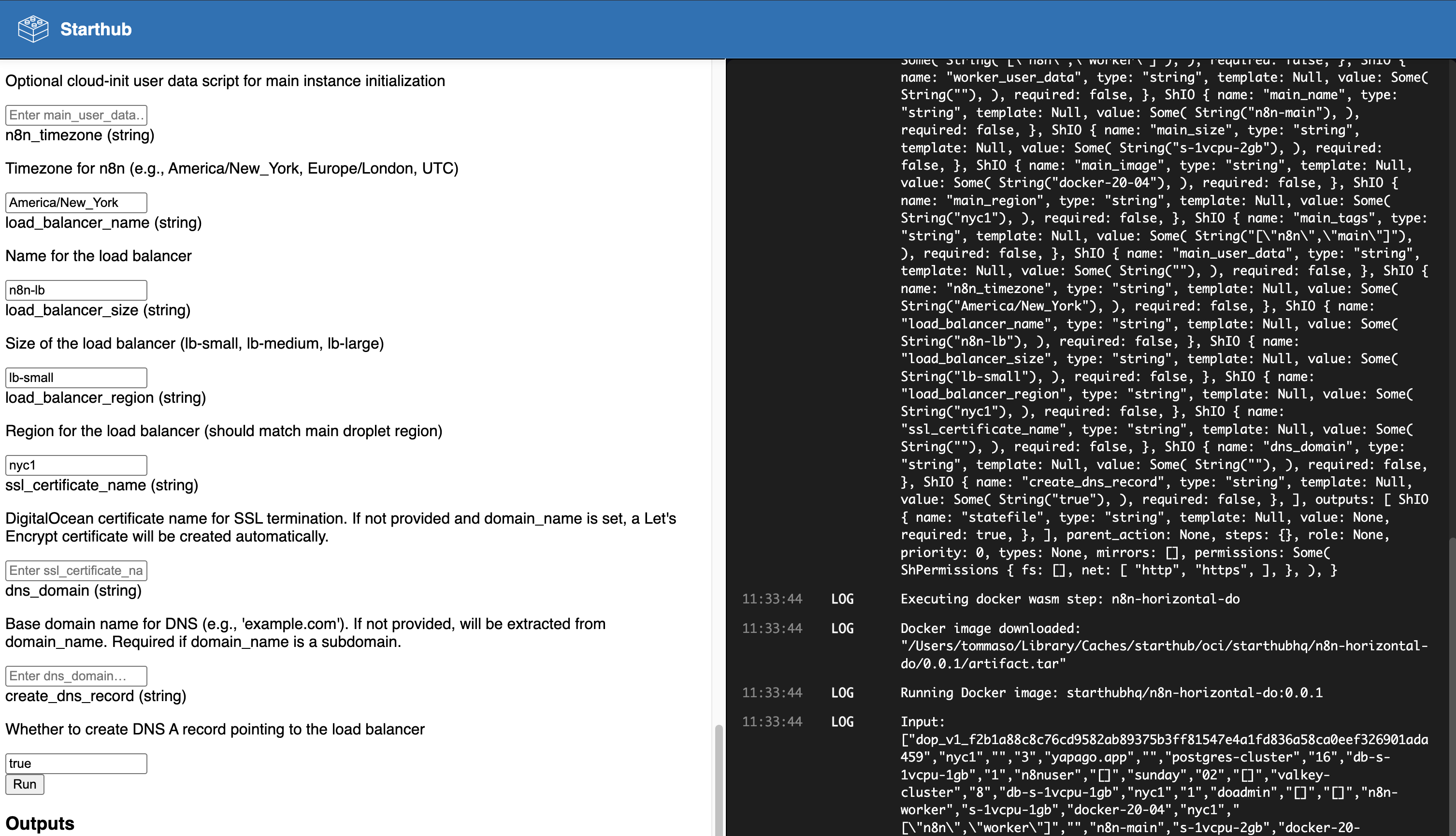
The CLI runs a local server and opens the browser on the page for input definition. While there are more than 40 possible parameters, the only two that are truly necessary are:
- Digital Ocean access token
- custom domain
The left panel shows the list of inputs needed to deploy the n8n infrastructure, and the right one shows the logs.
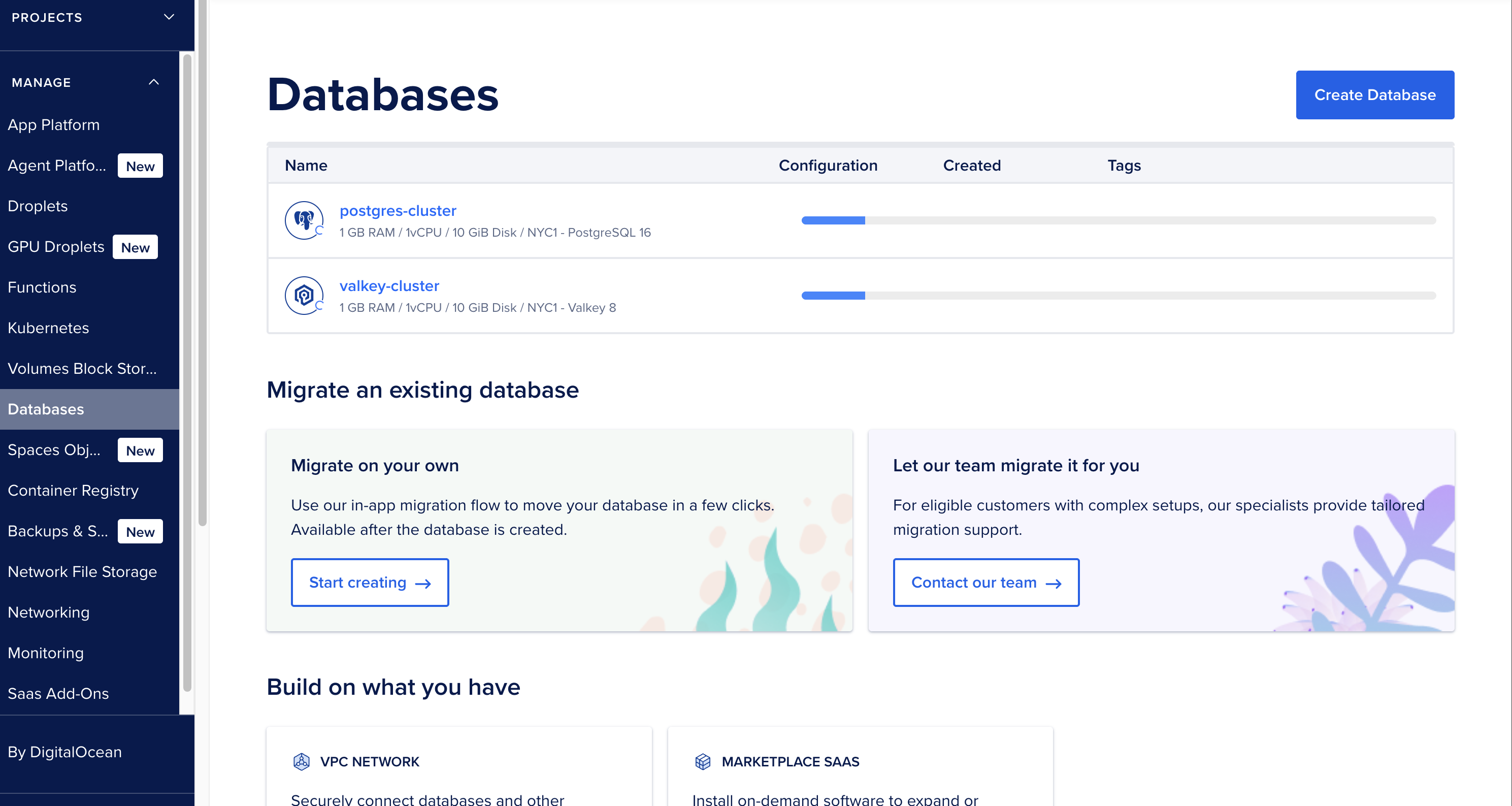
As the CLI executes the action, the components of the architecture start appearing in the Digital Ocean console.
After a few minutes, n8n is available at the ip address of the load balancer. After a few hours, SSL becomes available as well.
Results
A 4-5 hour process turns into a 20-minute, reproducible process.